
Dashboard
Adding a language
TolkBot translates, checks and syncs a language only once it is set up. Setting one up takes a minute, and the one decision is what to do with translations your repository already has.
Add a language
Every way to add a language opens the same Add a language dialog: Add language on the Overview page, Add a language when a project has none, Add a language… at the bottom of the language picker on the Translations page, and Add language under Settings → Languages.
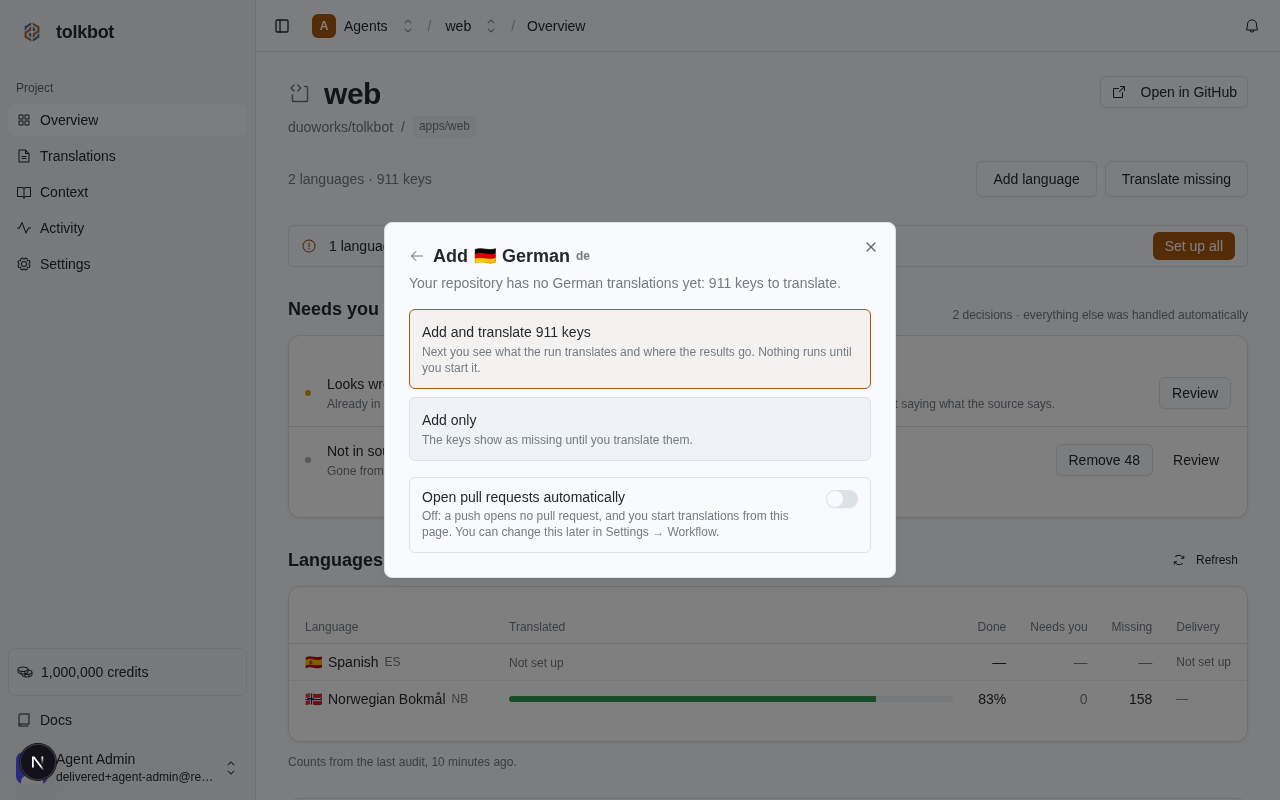
Languages your repository has files for, but the project doesn't have yet, are listed first under In your repository, with Add all, which sets them all up in one step (see below). Otherwise, search for the language. The list is every language TolkBot supports; see Supported languages.
TolkBot then checks your repository for a file in that language and says what it found. A language is set up when the dialog closes; there is no step to come back to.
It finds translations: choose what happens to them.
- Keep them (recommended). Every existing translation is recorded as written by a person. TolkBot doesn't translate any of them again unless you ask, and treats them as yours: a push that changes their source text shows them under Needs you instead of replacing them, and a push that removes their key keeps them.
- Keep them and mark them for review. The translations stay in the file, and each one is flagged No record of who wrote this on the Translations page for you to confirm or regenerate.
The dialog says how many keys still need translating. Use Translate missing on the Translations page for those.
It finds none: choose Add and translate to see what a run of every key would do, or Add only. Add and translate opens the same preview as every other translate button: the keys, an estimate, and whether the results land as drafts or in a pull request. Nothing runs until you start it there.
Either way, setup starts a health scan of the language's translations. What it finds shows under Looks wrong on the Overview page, whichever choice you made.
Languages that aren't set up
A language can be on a project without being set up: languages added before the Add a language dialog existed, and the locale files TolkBot found when it created the project. TolkBot doesn't sync or check them, the language picker and the Overview say Not set up, and a one-line banner on the Overview and Translations pages says how many there are, with Set up all. The first time you open the Translations page of a project with none set up, the dialog opens on its own.
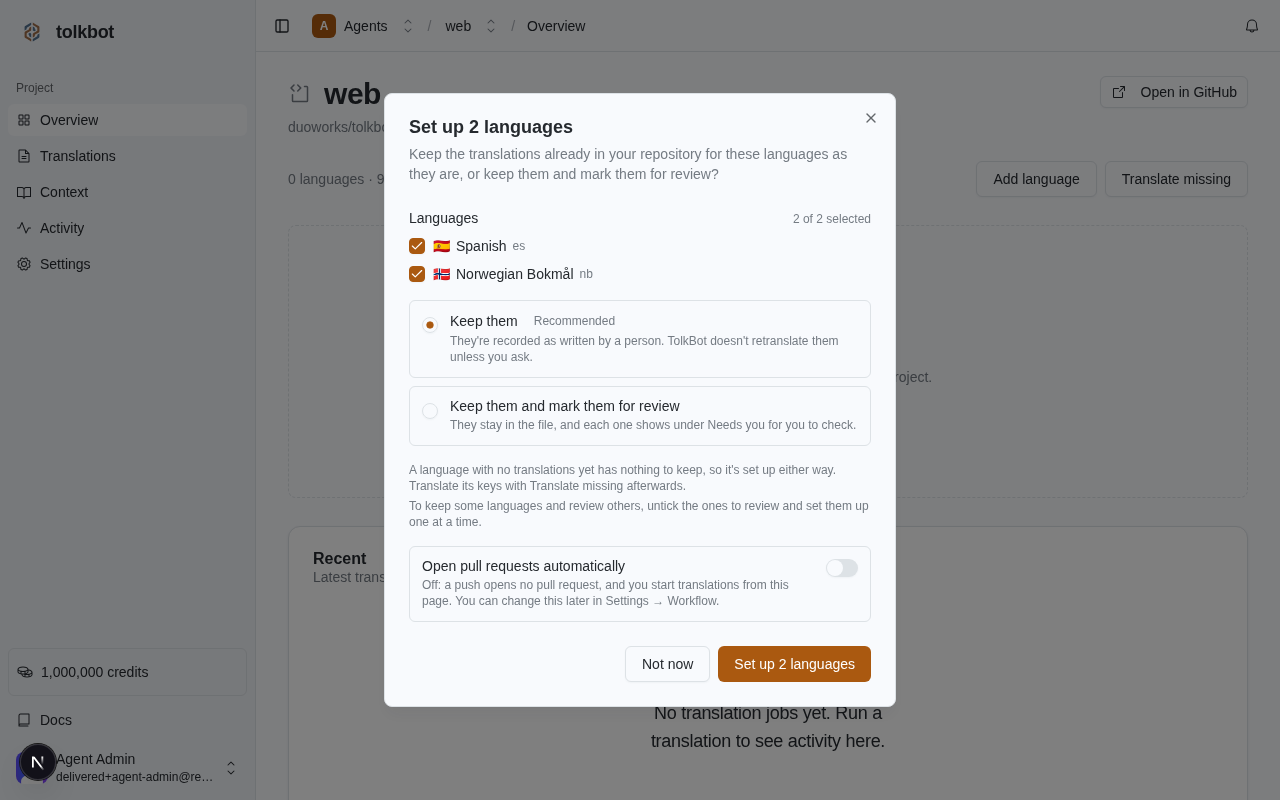
Set up all opens the dialog with every language that isn't set up. Tick the languages, choose Keep them or Keep them and mark them for review for all of them, and set them up. Setup runs on TolkBot's side, so you can close the dialog; it shows each language's progress until then, and Retry for one that failed. A language whose file is empty is set up the first way whichever you pick, since there is nothing to keep.
Opening a language that isn't set up on the Translations page opens the dialog for that language alone, and Settings → Languages has Not set up next to it, which does the same.
From the terminal
tolkbot languages add nb adds and sets up a language the same way, keeping existing translations unless you pass --existing review. See CLI project setup.
Open pull requests automatically
The dialog has the Open pull requests automatically switch. It is the project's Auto-create PRs setting, and changing it here changes it there.
On, every push to your default branch opens a pull request for each language that is set up, with the translations the push needs. Pull requests use credits. Off, a push opens nothing and you start translations from the Translations page. A new project has it on. See Automated pull requests.
When the first pull request arrives
Setting up a language opens no pull request on its own. The first one arrives:
- Right away, if you chose Add and translate and started the run with Open a pull request. It opens when the translation job finishes, usually within a few minutes.
- On your next push that changes the base language file, with automatic pull requests on. By default a push translates only the keys it added or changed, so the keys the language was already missing stay missing. Use Translate missing on the Translations page for those, or change the translation scope.
- When you send your changes, with automatic pull requests off: Review and open pull request on the Overview or the Translations page, then Open pull request.